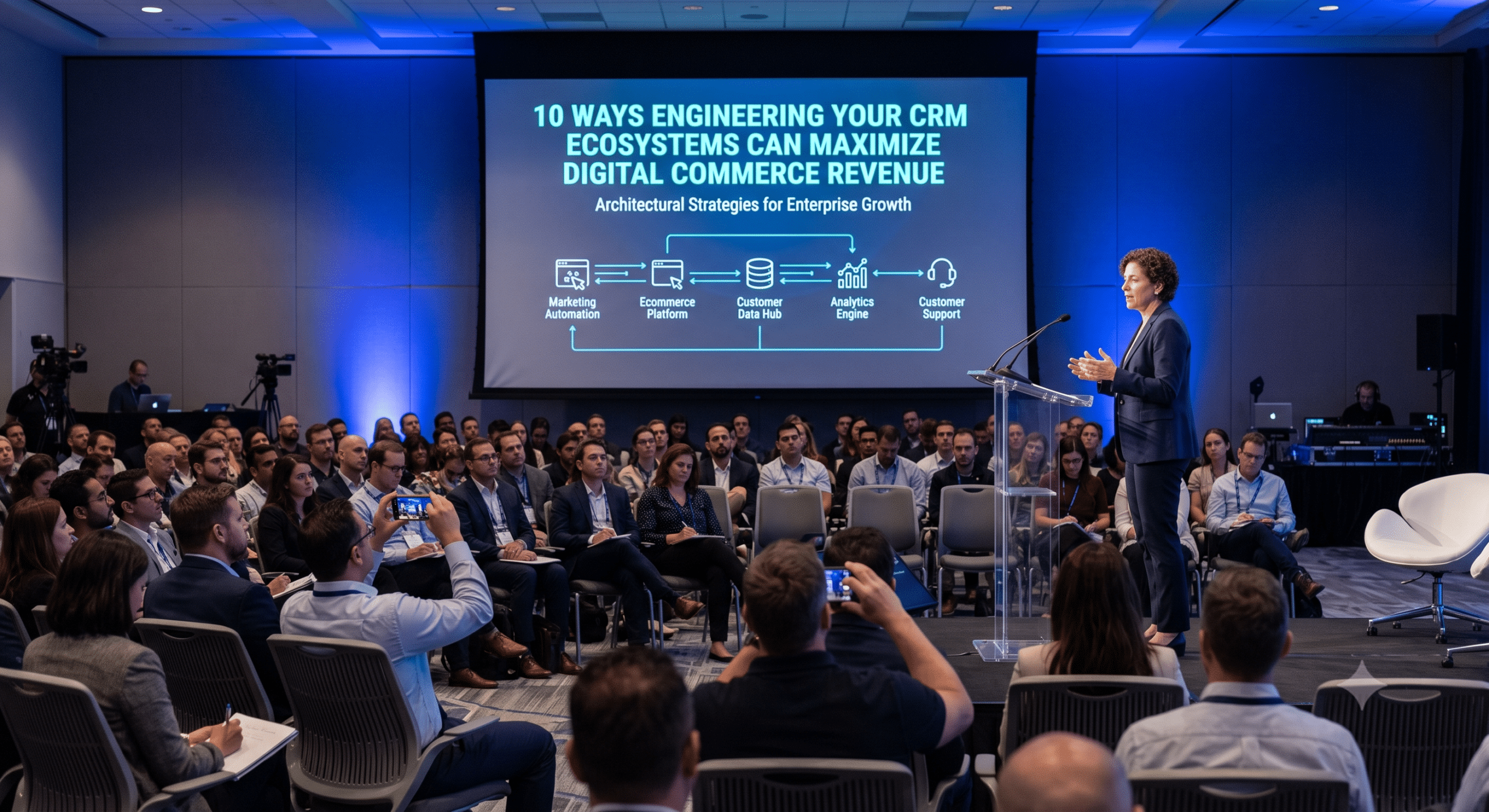
Every customer interaction resembles a product on a factory assembly line. Online selling requires a smooth digital factory floor. This engine must attract visitors, engage them, and secure their loyalty. However, many companies handle customer data like a messy workshop. Enterprise and MarTech architects see this mistake constantly. Building an efficient CRM technology stack is essential for scaling modern businesses.
To grow quickly, you must run your revenue engine like a high-performance factory. Therefore, you need to maximize system throughput. You must also shorten your cycle time. Finally, you must ruthlessly eliminate data scrap, which means broken or duplicate information. A smart architecture clears out the bottlenecks that drop parts on your floor.
1. Create a Decoupled System to Maximize Your Sales Throughput
Throughput on a factory floor means the number of finished products completed per hour. Similarly, in the digital world of your CRM Technology Stack, throughput means active buyers moving smoothly to checkout. To maximize this volume, your databases must handle sudden traffic spikes without slowing down.
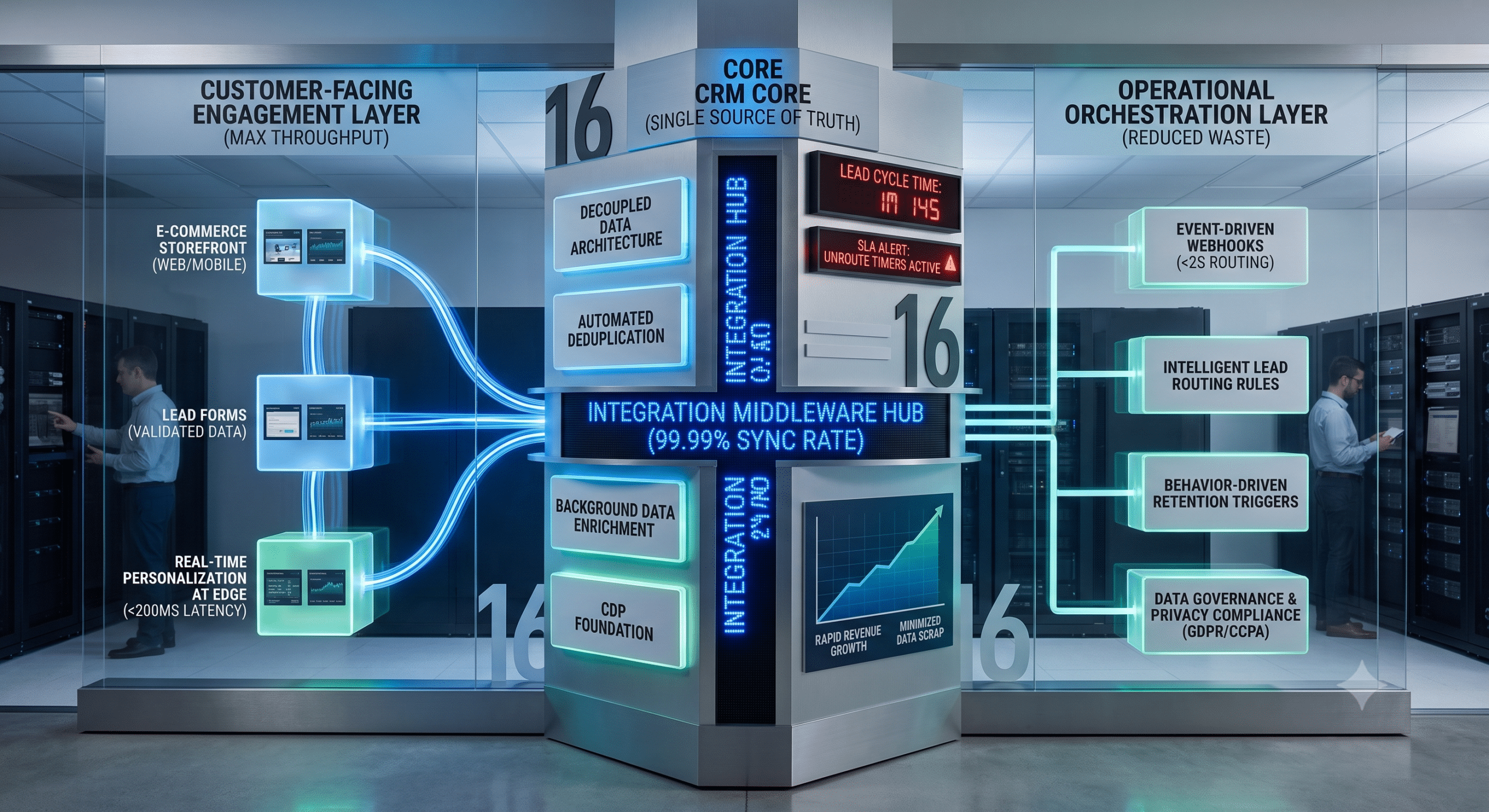
The best solution is a decoupled architecture. Specifically, your client-facing website and back-end database operate on separate tracks. Consequently, your front-end website handles massive traffic rushes easily. Meanwhile, your back-end systems process those orders steadily in the background. This separation prevents system crashes and dropped shopping carts. Thus, your sales volume keeps moving forward at maximum capacity.
2. Connect Your Systems Instantly with Real-Time Webhooks
Cycle time is the total time required to turn a new lead into a paying customer. In online sales, a long cycle time allows prospects to lose interest. Many companies rely on slow, overnight data batches to transfer lead records. This approach creates an unnecessary delay in your revenue factory.
Fortunately, you can optimize your CRM technology stack performance by using real-time webhooks. When a buyer requests a product demo, a webhook pushes that data instantly. This transfer takes less than two seconds. Consequently, this immediate handoff alerts your sales team right away. They can contact the prospect while interest remains at its absolute peak.
3. Stop Manual Research by Automating Account Context
When sales representatives receive new leads, they often spend thirty minutes researching online. They search for company backgrounds and specific buyer needs before calling. Obviously, this manual research increases your cycle time and stalls your pipeline.
However, a smart technology stack automates this data gathering. The moment a lead enters the database, the system pulls public company details. It also attaches industry types and tracking data. As a consequence, your representative opens a file with full context already available. This automation allows them to make a fast, personalized call immediately.
4. Use Smart Web Forms to Eradicate Raw Data Scrap
Data scrap refers to the broken, poorly formatted, or fake information clogging your database. For example, this happens when users type wrong phone numbers. It also occurs when they misspell email addresses or leave blank fields. Ultimately, these actions create messy records your team cannot use.
To counteract this waste, install automated validation filters on all digital forms. In other words, your website should catch formatting errors the exact second a user types them. The form gently requests a correction before submission. In this way, this quick check guarantees that only clean data enters your system. You successfully protect your database from digital garbage.
5. Implement Automated Deduplication to Merge Customer Identities
A major source of data scrap occurs when the same customer is recorded multiple times. For instance, a buyer might use a personal email to download an eBook. Later, they use a work email to request a quote. They might use a third variation for a support ticket. This mess creates three separate records for one human being.
Implementing automated deduplication is a critical step to maintain a clean CRM technology stack. This software runs continuously in the background. Specifically, it uses multi-point logic to scan your database for matching names or domains. It then merges duplicate files into a single profile. By doing so, you prevent embarrassing, repetitive sales calls. Hence, your reporting stays accurate.
6. Build on a Shared Data Foundation with a Central CDP
To support rapid growth, your technology stack cannot rely on scattered spreadsheets. Indeed, your business will operate blindly if departments use isolated databases. Marketing, sales, and customer service must share the same information.
Instead, the foundation of your architecture must be a central Customer Data Platform (CDP). This platform serves as your single source of truth. Consequently, every department feeds data into this single hub. They also pull information from it. This shared foundation ensures that every employee sees the exact same customer history. As a result, you build an organized operation that scales without breaking down.
7. Connect E-Commerce Purchases Directly to Customer Profiles
Link your digital storefront directly to your central database. When you do this, every online purchase, return, and abandoned cart updates records instantly. In addition, this direct connection removes the need for manual data entry. It provides an accurate view of buyer habits immediately.
Furthermore, this integration allows you to trigger automated marketing messages based on real behavior. For example, a customer might add an item to their cart but leave without paying. The system notices the delay and sends a friendly email reminder an hour later. This automation rescues sales that might otherwise be lost forever.
8. Move Personalization to the Network Edge for Speed
Every customer appreciates a personalized online experience. They like seeing their name at login or receiving tailored product suggestions. On the other hand, heavy database queries can slow down your entire CRM technology stack if not managed properly. Searching millions of records every time a page loads will cause your website speed to drop drastically.
To avoid this outcome, keep active customer profiles in high-speed memory caches. Place these caches at the edge of your network, close to your users. As a benefit, this setup allows your website to load personalized greetings instantly. Meanwhile, heavy data analysis happens quietly in the background. This design keeps the user experience incredibly fast.
9. Set Up Automated Lead Routing Rules
An unassigned lead is an expiring asset. It loses value with every minute it sits neglected in a shared inbox. Therefore, your architecture must feature an automated lead routing engine. This tool eliminates human delay and keeps your factory moving.
To achieve this speed, the system evaluates new prospects the moment they arrive. It reviews their location, company size, or product interests to match them with a rep. Thus, you eliminate the slow process of managers manually assigning tasks. The architecture ensures that hot prospects are contacted in minutes rather than days.
10. Enforce Speed Standards with Automated Alert Timers
Even with automated routing, a lead can stall. This issue happens if the assigned sales representative is busy or away from their desk. Hence, your CRM technology stack must actively monitor how long a lead sits untouched. You must compress this operational cycle time.
Accordingly, build automated countdown timers directly into your workflow rules. Specifically, the system tracks the lead the moment it is assigned. If the rep does not call or email within fifteen minutes, the system triggers an alert. Moreover, if the delay continues, the platform automatically re-routes the prospect. This process ensures your business never misses an opportunity due to a slow response.
11. Run Automated Background Data Enrichment
A clean database needs more than basic contact info. However, asking your sales team to manually type company details is inefficient. They waste time hunting for revenue figures, employee counts, and office addresses. Clearly, manual entry slows down your team and increases errors.
Instead, your architecture should use background integrations that connect to trusted business registries. For instance, the moment a new lead is logged, the system looks up the company name. It automatically fills in missing details like industry codes in the background. Consequently, this instant enrichment keeps your data highly accurate. It likewise frees your team to focus entirely on selling.
12. Break Down Communication Silos Between Departments
Information silos happen when teams use separate software applications. Marketing, sales, and support tools often cannot speak to one another. Regrettably, this fragmentation forces your employees to operate with missing pieces of the puzzle. This problem subsequently leads to frustrating customer experiences.
To solve this issue, link your software tools through a real-time integration layer. As a result, support agents can easily see a customer’s full history when a ticket opens. They see past marketing emails and recent sales discussions instantly. This complete visibility prevents different departments from contradicting each other. Therefore, it allows your team to provide a seamless, professional experience.
13. Create Behavior-Driven Triggers for Customer Retention
Retaining an existing customer is much more profitable than acquiring a new one. Consequently, you should avoid sending generic, monthly newsletters to everyone. Instead, your system should use automated triggers that react to actual customer behavior.
For example, the system can monitor how often accounts log into your platform. It tracks when they buy regular supplies. Then, if a customer’s activity drops significantly over a two-week period, the system flags this change. It automatically launches a retention workflow. This tool sends a check-in note from their account manager, thereby addressing issues before the client leaves.
14. Protect Data Privacy with Automated Governance Rules
Modern customer databases hold sensitive personal information. This reality makes security and privacy compliance highly critical for your business. Accordingly, your technology stack must safeguard this data automatically. It must comply fully with global privacy rules like GDPR and CCPA.
First, your architecture should encrypt all customer information during data transfers. It must also encrypt data while it sits in your storage drives. Second, set up strict access controls. This step ensures employees only see the specific data fields required for their jobs. Finally, your system should automate consent tracking. This automation makes it simple to respect privacy choices or delete records completely upon request.
15. Connect Systems with a Reliable Integration Middleware Hub
The strength of your entire CRM technology stack depends on system communication. However, creating direct, custom-coded connections between individual tools creates a fragile network. This messy setup can break easily whenever a software vendor issues a routine update.
To build a stable ecosystem, route all system connections through a central middleware hub. This integration software acts as a dependable traffic controller. Specifically, it translates data formats between different systems. It also manages heavy information flows and retries failed transfers automatically. Consequently, using a middleware hub keeps your overall system stable. It likewise allows you to upgrade individual tools down the road without disrupting operations.
16. Adopt a Composable Strategy to Future-Proof Growth
The digital world changes rapidly. A technology stack built rigidly for today’s needs can easily become a roadblock tomorrow. Therefore, high-performing enterprises avoid getting locked into a single software vendor. They build a flexible, modular architecture instead.
Ultimately, you achieve this goal by using a composable strategy. Under this model, different business tools function as independent, plug-and-play modules. They connect via clear, open APIs. Thus, if a better marketing tool becomes available, your team can easily unplug the old one. They wire in the new software without rebuilding your entire infrastructure. This flexibility keeps your business agile, modern, and ready to scale.
Technical Monitoring and System Health Metrics
To keep your customer factory running at peak efficiency, you must track technical performance metrics. Do not just look at standard sales numbers. In doing so, monitoring these back-end signals allows your team to fix system lag early. You protect your customer experience from technical friction.
| Technical Metric | What It Measures | Target Goal |
| API Response Latency | The speed of data transfers between your software tools. | Under 200 milliseconds |
| Sync Success Rate | The percentage of data transfers completed without error. | Greater than 99.99% |
| Lead Processing Velocity | The time it takes a new lead to route through the system. | Under 2 seconds total |
Frequently Asked Questions (FAQ)
What does “high-throughput” mean for a CRM technology stack?
High-throughput means your system can process a massive volume of customer interactions quickly. It processes website visits, form submissions, and online purchases smoothly. The architecture avoids encountering system lag, data errors, or software crashes within your CRM technology stack.
How does reducing data scrap help my sales team?
Reducing data scrap removes incorrect, duplicate, or blank files from your system. Consequently, this saves your sales representatives from wasting time on bad phone numbers. It prevents them from making repetitive calls, thereby allowing them to focus entirely on clean prospects.
Why shouldn’t I connect my software tools directly to each other?
Connecting tools directly to each other creates a fragile network. A single update to one piece of software can cause your connections to break. Instead, using a central middleware hub keeps your data organized and stable. Hence, it makes updating or swapping tools much easier as your business grows.
Is a composable architecture strategy difficult for a growing business to maintain?
No, a composable strategy actually makes maintenance easier over time. Each software tool functions as an independent, plug-and-play module. Therefore, your team can fix, update, or replace a single tool without worrying about breaking the rest of your revenue engine.
Further Reading for Technical Teams and Architects
For readers looking to dive deeper into enterprise CRM architectures and system integration strategies, high-quality industry guides offer exceptional value. The HubSpot Customer Platform Guide outlines native data structures and features an excellent analysis of modern tool design. For a deep look into heavy enterprise patterns, the Salesforce Architecture Resource Center provides complete data maps for high-volume networks.
Additionally, we highly recommend reading the strategic breakdown on CRM consolidation from Pretius Blog. This expert architecture article explores handling deep semantic data mismatches, resolving duplicate customer records, and calculating multi-year system total cost of ownership (TCO) across complex corporate systems.