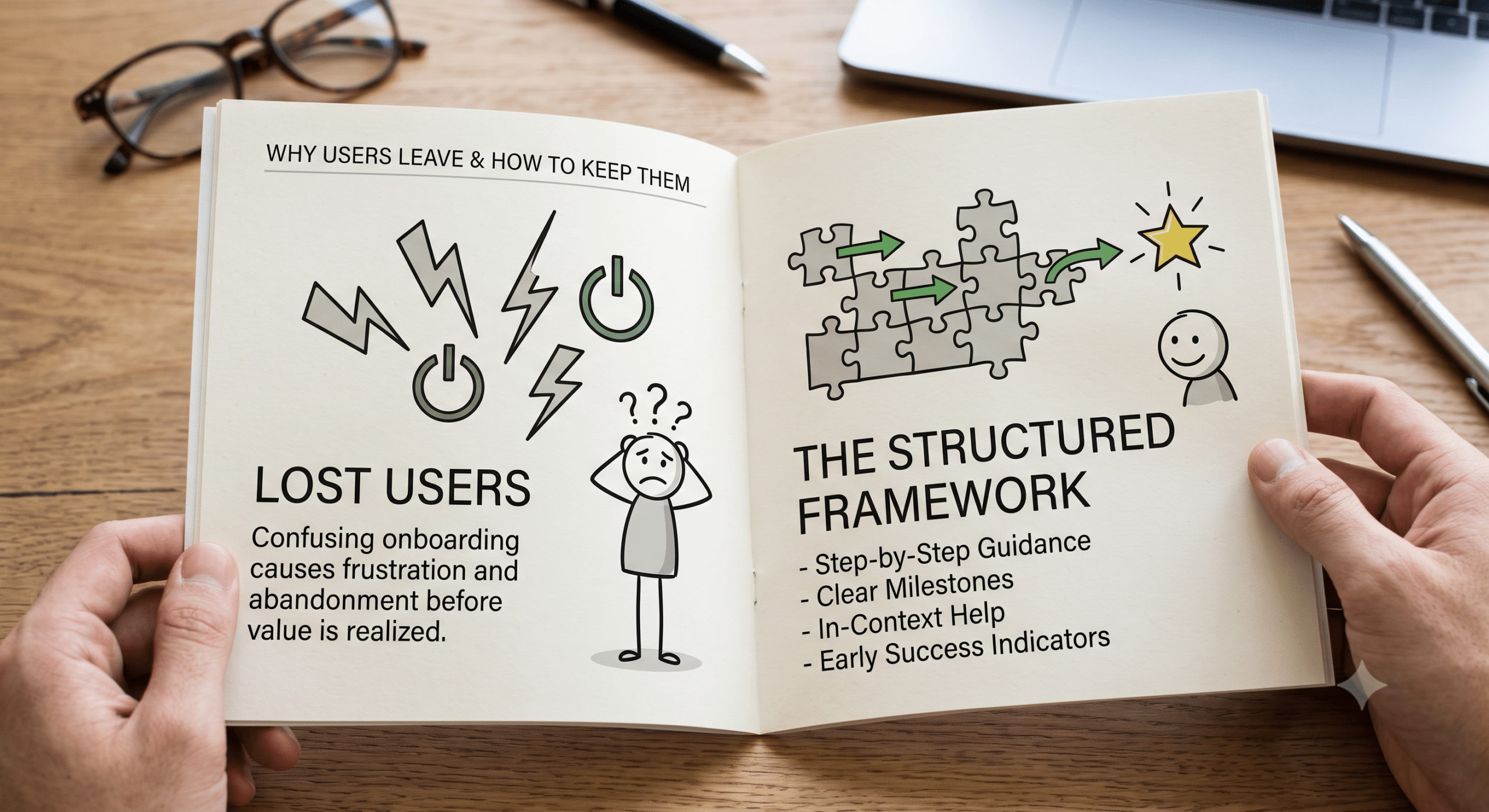
Great products can lose users for one simple reason: people cannot get started. When onboarding is confusing—whether setting up software, a cloud platform, or a smart device—a structured setup guide framework ensures users don’t become frustrated and abandon the product before experiencing its true value.
Therefore, clear documentation is one of the most important parts of the user journey. In essence, a well-designed guide bridges the gap between buying a product and successfully using it. Furthermore, it actively reduces support tickets, improves overall customer satisfaction, and helps users gain confidence right from the very beginning.
As a Technical Content Marketer and SEO Content Strategist, I have learned that readers are not looking for long explanations filled with dense technical terms. Instead, they simply want clear instructions that answer one vital question:
“What do I need to do next?”
Accordingly, this article explains how to build an effective setup guide framework that is easy to read, easy to follow, and helpful for beginners and experienced users alike. Additionally, you will find a repeatable step-by-step structure that you can apply whenever you create technical documentation.
What Are Setup Guides?
To put it simply, Setup Guides are instructional documents that walk users through the entire process of preparing, installing, configuring, and verifying a product or system.
Unlike technical reference documentation, however, they focus strictly on completing a specific task from beginning to end.
For example, key use cases include:
-
Installing business software
-
Configuring Wi-Fi routers
-
Setting up cloud servers
-
Creating user accounts
-
Installing WordPress
-
Connecting APIs
-
Configuring development environments
Ultimately, the primary goal is simple: help users succeed on their very first attempt.
Why Setup Guides Matter
Many companies spend thousands of dollars attracting visitors through advertising and SEO. However, poor documentation can quickly undo all of that hard work.
In contrast, a strong setup guide consistently helps to:
-
Reduce customer frustration
-
Lower ongoing support costs
-
Increase overall product adoption
-
Improve user onboarding
-
Build long-term customer trust
-
Encourage positive reviews
Moreover, good documentation directly benefits search engine optimization because users frequently search for specific phrases, such as:
-
setup guide
-
installation guide
-
getting started
-
configure software
-
first-time setup
-
quick start guide
As a result, creating useful content around these organic searches can generate steady traffic over time. In fact, search engines increasingly reward content that clearly matches user intent and provides complete, actionable answers.
Characteristics of Excellent Setup Guides
Overall, the best technical guides share several essential qualities.
1. They Begin With the Goal
First and foremost, readers should immediately know what they will accomplish.
For example:
By the end of this guide, your web application will be installed and fully ready for production.
Consequently, this clear statement creates confidence before users even begin.
2. They List Requirements First
In addition, you should never surprise readers halfway through the process.
Therefore, always include prerequisites upfront, such as:
-
Operating system compatibility
-
Browser requirements
-
Stable internet connection
-
Required administrative permissions
-
Specific software versions
-
Necessary hardware specifications
Indeed, missing prerequisites are historically one of the biggest reasons setup instructions fail.
3. They Use Plain English
Furthermore, it is crucial to avoid unnecessary technical jargon.
For instance, instead of writing:
“Initialize the deployment environment.”
Instead, write:
“Open the installation folder.”
Ultimately, using simple, direct language dramatically reduces user mistakes.
4. They Follow One Logical Path
Above all, readers should never wonder what step comes next.
Consequently, effective Setup Guides always move in logical order:
$$\text{Preparation} \longrightarrow \text{Installation} \longrightarrow \text{Configuration} \longrightarrow \text{Testing} \longrightarrow \text{Troubleshooting} \longrightarrow \text{Completion}$$
5. They Include Verification Steps
Equally important, every setup guide should explicitly answer:
“How do I know everything worked?”
Specifically, verification examples include:
-
Logging in successfully
-
Verifying that the homepage loads
-
Ensuring the API returns active data
-
Checking that the device powers on properly
-
Confirming the database connects
As a result, users gain immediate confidence when they can visually verify their success.
The 6 Essential Parts of Every Setup Guide
To ensure consistency, every effective guide should systematically include these six core sections:
| Section | Key Purpose & Action |
| 1. Introduction | First, clearly explain what will happen, who the guide is for, and the estimated completion time (e.g., “This guide takes about 20 minutes and is designed for first-time users.”). |
| 2. Prerequisites | Next, list everything users need before starting (e.g., administrator access, stable connection, correct files). |
| 3. Installation Steps | Then, break the work into small, actionable steps. Specifically, separate every single action (Step 1, Step 2, Step 3). |
| 4. Configuration | Afterward, explain exactly how users should configure the system (e.g., connect databases, enter API keys, adjust default settings). |
| 5. Testing | Subsequently, show readers how to test and verify success (e.g., log in, upload a file, run a sample project). |
| 6. Troubleshooting | Finally, address the most common obstacles users might face (e.g., Problem: Installation freezes. Solution: Restart installer and disable antivirus). |
A Structured How-To Section
To implement this effectively, you can apply the following structured framework to almost any technical product:
Step 1: Define the Starting Point
To begin with, identify what your users already have in place.
Specifically, answer these key questions:
-
Is this a completely new installation?
-
Is a prerequisite upgrade required?
-
Is previous software already installed?
Remember, you should never assume prior technical knowledge.
Step 2: Gather Everything Needed
Next, build a clear pre-installation checklist:
-
[x] Installation file downloaded
-
[x] Product key available
-
[x] Active internet connection
-
[x] Administrator account credentials
-
[x] Latest updates applied
Because thorough preparation prevents unwanted interruptions later, this step is critical.
Step 3: Install the Product
Afterward, guide users through every action step by step. For best results, use numbered instructions and avoid combining multiple separate actions into one sentence.
Step 4: Configure Settings
Once installed, explain every available configuration option. In particular, if a setting has recommended values, explicitly mention them. Indeed, readers appreciate knowing which settings are safe to leave at default values.
Step 5: Verify the Installation
Thereafter, provide a simple success checklist:
-
Dashboard loads properly
-
User can log in without errors
-
Device appears online
-
Data synchronization begins
-
Test email sends successfully
Step 6: Solve Common Problems
Finally, conclude with rapid solutions to predictable issues:
Issue: Cannot connect to the server.Possible Fixes:
Consequently, this final section often becomes the most frequently visited part of the entire guide.
Common Mistakes When Writing Setup Guides
Unfortunately, many documentation teams accidentally make their guides harder to follow.
For example, common mistakes include:
-
Skipping mandatory prerequisites.
-
Assuming readers automatically understand advanced terms.
-
Writing dense paragraphs instead of short, numbered steps.
-
Ignoring useful visual screenshots.
-
Leaving out helpful troubleshooting advice.
-
Failing to test instructions before publishing.
-
Neglecting to update documentation after software releases.
Therefore, every guide should ideally be tested by someone unfamiliar with the product prior to publication. Furthermore, modern documentation frameworks strongly recommend organizing information into distinct tutorials, how-to guides, explanations, and references so readers can quickly find the exact format they need.
SEO Tips for Setup Guides
When optimized correctly, Setup Guides can become extremely valuable sources of organic search traffic.
Specifically, consider these helpful practices:
-
First, write descriptive, user-focused page titles.
-
Second, use structured headings that match real search intent.
-
Third, include related search keywords naturally.
-
Fourth, answer common user questions directly.
-
Fifth, add helpful internal links to related tutorials.
-
Sixth, update documentation immediately after major product releases.
-
Finally, use descriptive alt text for all included images.
Most importantly, always write for human readers first. As a result, search engines will naturally reward content that genuinely helps users solve real-world problems.
Best Practices for Better Technical Documentation
To maintain consistency, successful technical writers consistently adhere to established documentation standards:
-
Keep instructions concise and to the point.
-
Use active voice in every sentence.
-
Write strictly one action per step.
-
Avoid unnecessary jargon whenever possible.
-
Keep screenshots updated with current user interfaces.
-
Include estimated completion times at the start.
-
Test every single instruction before publishing.
-
Maintain clear version history for tracking.
-
Update guides regularly as products evolve.
In summary, clear documentation steadily improves overall user experience while eliminating confusion over time. In fact, industry documentation style guides consistently emphasize clarity, structural consistency, and reader-focused writing.
Measuring the Success of Setup Guides
Once published, you should actively monitor how well your documentation performs.
For instance, highly useful metrics include:
-
Organic traffic trends
-
Average time spent on page
-
Page bounce rate
-
Target search rankings
-
Support ticket volume reduction
-
Customer satisfaction scores (CSAT)
-
Direct documentation feedback
-
Task completion success rates
Ultimately, these analytics clearly reveal where readers struggle and where further improvements are necessary.
Final Thoughts
In conclusion, the best Setup Guides do much more than explain software installation. Rather, they create a smooth, seamless experience that helps users feel successful from their very first interaction.
Whether you are documenting a simple mobile application or a complex enterprise platform, always remember that readers value clarity far more than complexity. Therefore, break large tasks into smaller steps, explain each action in plain language, and always verify that your instructions work exactly as written.
From an SEO perspective, high-quality setup documentation also creates valuable evergreen content that continues attracting visitors long after publication. When combined with regular updates and a user-first mindset, your guides can easily become some of the most valuable assets on your entire website. After all, good documentation is not simply about writing instructions—it is fundamentally about helping people succeed.
Frequently Asked Questions
What are Setup Guides?
In short, Setup Guides are step-by-step documents that explain how to install, configure, and verify a product, application, or system so users can begin using it successfully.
Why are Setup Guides important?
Primarily, they reduce support requests, improve overall customer satisfaction, shorten onboarding time, and help users complete complex installations with total confidence.
How long should a Setup Guide be?
Although the ideal length depends on the specific product, every guide should thoroughly cover prerequisites, installation, configuration, verification, and troubleshooting without adding fluff.
What should every Setup Guide include?
At a minimum, a complete guide should include an introduction, prerequisites, installation steps, configuration instructions, testing procedures, troubleshooting advice, and links to related technical documentation.
How often should Setup Guides be updated?
Generally, documentation should be reviewed whenever the core product changes—especially following software releases, interface updates, or new feature launches.
Are Setup Guides good for SEO?
Yes, absolutely. Because many users search for specific installation instructions and setup help, well-written Setup Guides can consistently attract search traffic while building overall brand authority.
References & High-Authority Technical Writing Guides
-
Atlassian Blog – 9 Software Documentation Best Practices + Real ExamplesHigh-authority industry framework covering best practices for user guides, onboarding, and release documentation.
-
Comprehensive guide detailing information architecture, user-centric steps, and ticket deflection metrics for technical documentation.
-
Authoritative resource on structuring search-friendly, actionable setup guides and user walkthroughs.
-
Google for Developers – Developer Documentation Style GuideThe industry-standard reference for technical clarity, active voice, step formatting, and reader-focused guidelines.
-
Leading insights on user experience in documentation, progressive disclosure, and step-by-step setup guides.
-
Write the Docs – Software Documentation GuideGlobal technical writing community guide on documentation structures, tutorials, and how-to frameworks.