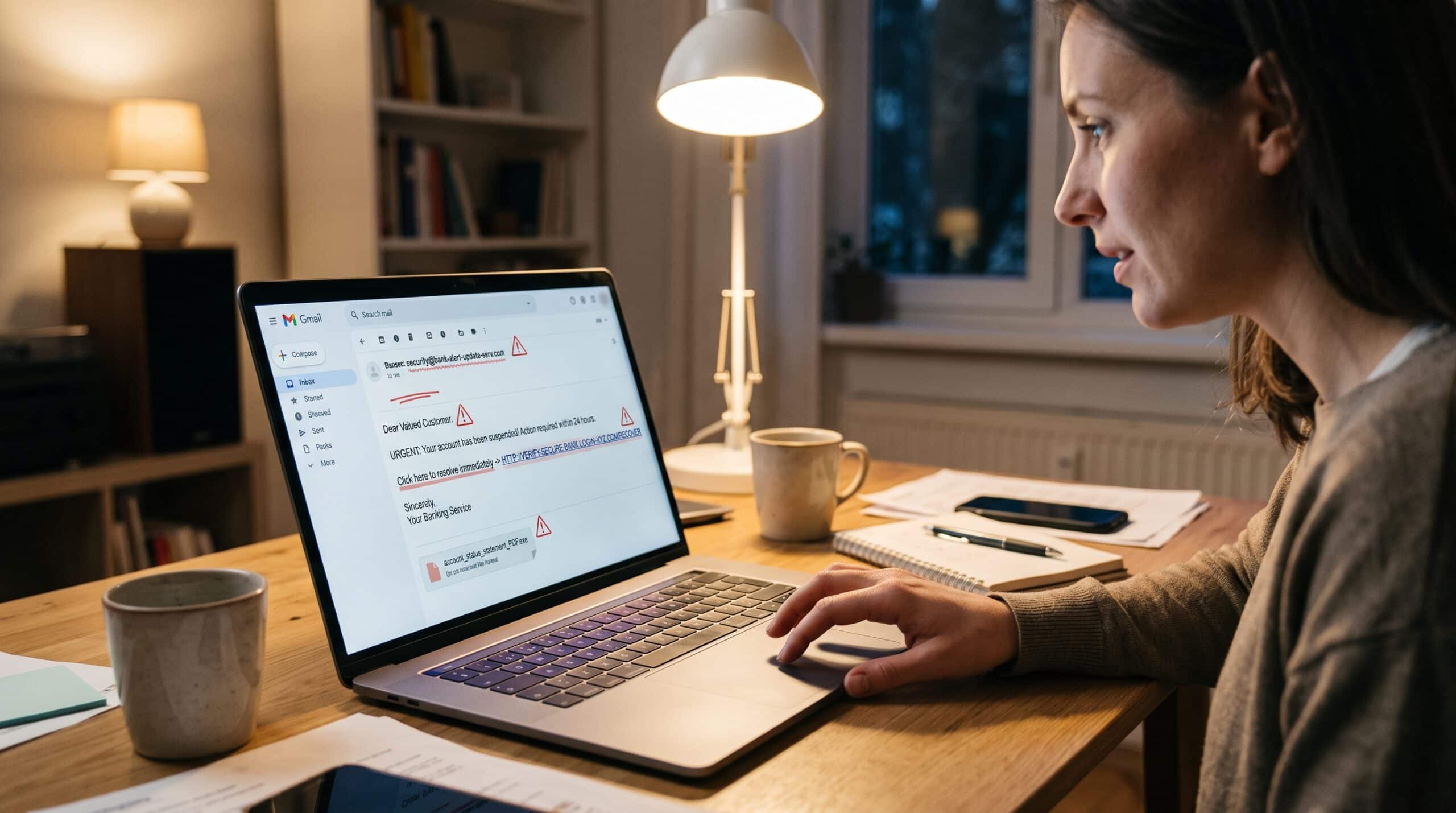

How to Create a Strong Password You’ll Actually Remember
Every time I teach a room full of employees how to create a strong password, I start with the same question. “Raise your hand if you use the same password, or a slight variation of it, on more than one account.” The room hesitates. A few hands go up. Then a few more. By the time people realize their coworkers are being honest, most of the room has a hand in the air.
I don’t ask that question to shame anyone. I ask it because it tells me the real problem. People are not careless. They feel overwhelmed. The average person juggles dozens of logins, and for years, bad advice made passwords harder to remember without making them much harder to crack. So people did the sensible human thing. They found one password they could live with and stretched it across their whole digital life.
If you want to learn how to create a strong password that you will genuinely remember, the first step is not memorizing some complicated formula. It is unlearning a few habits that bad password policies drilled into you. Once you do that, the rest gets surprisingly easy.
Why Learning How to Create a Strong Password Still Matters
You might have heard that passwords are on their way out. In some places, that is true, and I’ll get to passkeys later. But for most people today, a password still sits in front of their email, banking, work accounts, and cloud storage. And attackers know it.
The numbers make the point better than I can. Verizon’s 2025 Data Breach Investigations Report examined 22,052 incidents and 12,195 confirmed breaches across 139 countries, and in basic web application attacks, stolen credentials were the main action in 88% of cases. In plain terms, attackers often don’t break in. They log in.
That is the uncomfortable truth I try to get across in training. Most account takeovers are not the work of a genius hacker typing furiously in a dark room. They come from passwords that someone guessed, that leaked in an old breach, that people reused somewhere else, or that someone typed into a fake login page, which is why learning how to spot a phishing email matters just as much. Your password is the front door key, and a weak one is a key left under the mat. That’s why knowing how to create a strong password still ranks as one of the most practical security skills you can have.
The Old Rules on How to Create a Strong Password Were Wrong
For a long time, organizations taught people how to create a strong password the wrong way. Remember the classic corporate password policy? At least eight characters, one uppercase letter, one number, one symbol, and change it every 90 days. Millions of people responded by creating passwords like “Summer2024!” and then “Autumn2024!” three months later.
Those rules felt secure. They looked secure on an audit checklist. But in practice, they pushed people toward predictable patterns that attackers had already catalogued. Capital letter at the start, number at the end, exclamation point to finish. Cracking tools try those patterns first because humans use them first.
The standards bodies have now caught up. In August 2025, NIST released Revision 4 of its Digital Identity Guidelines, and the new revision flatly states that organizations shall not impose arbitrary composition requirements beyond basic length and blocklist checks. The same update reinforces that people should change passwords when evidence points to a compromise, not on a calendar schedule. The guidance also says systems should allow passwords up to at least 64 characters and should not force periodic changes, while requiring a change once they detect a compromise.
Security technologist Bruce Schneier summed up the frustration many of us in the field felt for years. He observed that people trivially bypass composition rules, which do nothing to enforce real complexity. I have watched that happen in real time during workshops. Ask someone to add a symbol and they will add an exclamation point at the end. Every single time.
So if your instinct says a strong password must look like a cat walked across the keyboard, let that go. The modern answer is simpler and friendlier.
Length Beats Complexity When You Create a Strong Password
If you remember only one thing about how to create a strong password, make it this. I spend more time on this idea than any other in training, because once it clicks, everything else follows.
When an attacker tries to crack a password, they work through possibilities. Every character you add multiplies the number of possibilities they have to work through. Adding a symbol to an eight character password helps a little. Adding eight more characters helps enormously.
Think of it like a combination lock. A lock with four dials, each with a few extra symbols, is still a four dial lock. A lock with sixteen ordinary dials is a completely different problem.
This matters more every year because cracking hardware keeps getting faster. Hive Systems’ 2025 Password Table, which estimates how quickly attackers can brute force passwords of different lengths and complexities, found that attackers now crack passwords faster than ever before. Their calculations simulated an attacker running 12 RTX 5090 graphics cards against bcrypt hashed passwords, which is consumer gaming hardware, not some secret government supercomputer. The takeaway from their table stays consistent year after year: short passwords fall quickly no matter how many symbols you cram in, and long passwords hold up.
This is why both the American and British government guidance now lands in the same place. CISA describes a strong password as either a random mix of characters or a passphrase of five to seven unrelated words. Notice that second option. Words. Ordinary words you can picture.
How to Create a Strong Password, Step by Step
Here is exactly how to create a strong password using the method I teach. It works for nontechnical staff, for executives who swear they “can’t remember anything,” and for my own family.
Step 1: Create a Strong Password From a Passphrase
A passphrase is a string of several unrelated words. Something like “lantern copper otter biscuit glacier.” It looks almost silly, and that’s the point. It is long, it is easy to picture, and it is far harder to crack than “J@ckson1987!”
The UK’s National Cyber Security Centre explains that combining three random words produces a password that is easy to remember yet strong enough to keep accounts secure, and that this works better than traditional complexity advice. I personally recommend going beyond three words for your most important accounts. Four is good. Five or six is excellent.
Step 2: Let Randomness Pick the Words, Not You
Randomness is the secret ingredient in how to create a strong password that holds up, and it is the step people skip most often. Humans are terrible at being random. If I ask you to choose four random words, there is a good chance you will pick words connected to each other, words tied to your life, or words that form a familiar phrase. “Red rose garden love” has four words, but it is not random.
The best fix is to take the choice out of your hands. The Electronic Frontier Foundation publishes free instructions for building a dice generated passphrase: you roll five dice at once, note the numbers, and look up the matching word on their long wordlist. That long list contains 7,776 words that EFF designed for dice generated passphrases. Repeat the roll for each word you want.
Why does this work so well? Because the math becomes honest. With 7,776 possible words, each truly random word adds roughly 12.9 bits of strength. Five words land around 64 bits, and six words around 77 bits. An attacker who knows exactly which list and method you used still has to grind through trillions upon trillions of combinations.
If you don’t have dice handy, the passphrase generator built into most reputable password managers does the same job using secure randomness.
Step 3: Make It Long Enough
Aim for at least 15 characters for anything important. That figure isn’t arbitrary; it reflects where NIST’s latest guidance points for passwords used on their own. A four or five word passphrase will clear that bar easily, usually landing somewhere between 20 and 35 characters.
If a site caps your password length at something small, like 12 or 16 characters, that tells you something about how the site handles security. Use the longest password the site allows and lean on a second layer of protection, which I’ll cover below.
Step 4: Give It a Story So It Sticks
Now for the “actually remember” part of the title. Random words are easier to recall than random characters, but you can make them stick even better with a mental image.
Say your dice give you “otter,” “lantern,” “copper,” “biscuit,” and “glacier.” Picture an otter carrying a copper lantern across a glacier, looking for a biscuit. It’s absurd. That’s good. Absurd images stick in memory far better than sensible ones. EFF itself has encouraged people to write little sentences or stories using their generated words to help remember them.
Don’t change the order of the words to fit your story. Let the story bend to the words.
Step 5: Adjust for Fussy Websites Without Ruining It
Some sites still demand a number, a capital letter, or a symbol even though modern guidance says they shouldn’t. Fine. Add what they require in a way you’ll remember, such as capitalizing the first letter of each word and placing a number between two words. “Otter7LanternCopperBiscuitGlacier” keeps its strength because the real power comes from length and randomness, not from the decoration.
What you should not do is fall back on obvious swaps like replacing “a” with “@” or “o” with “0” as your main source of strength. Cracking tools apply those substitutions automatically.
Step 6: Check It Against Known Breaches
Before you commit to a new password, make sure it isn’t already sitting in a breach database. Have I Been Pwned maintains a database of hundreds of millions of passwords that real breaches exposed, and its checking tool hashes your password locally and sends only the first five characters of that hash, so the full password never leaves your device. If your candidate shows up even once, throw it away and start over. A truly random passphrase almost never will.
Habits That Help You Remember the Strong Password You Create
Knowing how to create a strong password only helps if the password stays in your head. Creating the passphrase is half the job. The other half is getting it into long term memory without writing it on a sticky note glued to your monitor.
The first habit is repetition in the first week. Type your new passphrase deliberately several times on day one, again the next day, and then every couple of days for a week. Each time, recall the story picture before you type. After about a week of this, most people stop thinking about it.
The second habit is honest backup. Writing a password down is not automatically a sin. The NCSC says it’s fine to write your password down as long as you keep it somewhere safe. A note in a locked drawer at home carries a very different risk from a note taped under your office keyboard. If you’re arranging your workspace, our guide to home office setup essentials is a good place to plan a lockable spot. The attackers who scare me sit on the other side of the world, and they cannot reach into your desk drawer.
The third habit is to stop changing passwords for no reason. Forced rotation is exactly what drives people toward “Password1,” “Password2,” “Password3.” Change a password when you have reason to believe it leaked. Otherwise, a strong passphrase you remember well is worth more than a fresh weak one every quarter.
One Strong Password Is Not Enough: The Reuse Problem
Learning how to create a strong password solves only half the problem. You can build the most beautiful passphrase in the world, and it won’t save you if you use it everywhere. I have to be blunt about this with every training group.
Attackers collect leaked username and password pairs from old breaches and test them automatically against other sites. Security professionals call this credential stuffing, and it’s the reason a breach at some forgotten forum you joined in 2016 can turn into someone reading your email today. As CISA warns, if attackers guess your password, they gain access to every other account that shares it.
So every account needs its own password. And no, nobody can memorize forty unique passphrases. That’s not a personal failing. It’s simply beyond what human memory can handle.
This is exactly why I recommend a password manager to nearly everyone I train. CISA explains that with a password manager you only need to remember one strong password, the one that unlocks the manager itself, and it suggests making that a long, memorable passphrase. The manager generates long random passwords for every other site, remembers them, and fills them in for you.
People sometimes push back here: “Isn’t it risky to put all my passwords in one place?” It’s a fair question. My answer is that the alternative, reusing a handful of passwords across everything, carries a far bigger and far more common risk. A reputable password manager, locked with a strong passphrase and a second factor, is one of the best security upgrades an ordinary person can make.
The Handful of Passwords You Must Memorize
With a manager doing the heavy lifting, your memory job shrinks to a short list. In my experience, most people need to memorize only these:
- The master passphrase for the password manager.
- The password for your primary email account, since you reset almost every other account through email.
- The login or PIN for your computer and phone.
- Possibly one critical account you sometimes need to reach without your manager, such as work single sign on, especially if you work from home on a shared device.
That’s three or four passphrases. Use the dice method for each, give each one its own story, and you’re done. Everything else can be a long, random string that you never see.
Add a Second Layer
Even with the strongest password, a convincing fake login page can still trick you into giving it away. That’s why I never teach passwords in isolation.
Turn on multifactor authentication, often called 2FA, wherever services offer it, starting with email, banking, and your password manager. An authenticator app or a hardware security key gives you stronger protection than a text message code, though a text code still beats nothing. If you often log in over public Wi-Fi, it also helps to understand the differences between a VPN and a proxy.
Then keep an eye on passkeys. The FIDO Alliance describes passkeys as cryptographic credentials tied to your account on a specific website or app, built on standards designed to resist phishing. Because a passkey only works with the real site you created it for, a fake lookalike page can’t trick you into handing it over. Adoption keeps climbing too. In a 2024 survey commissioned by the FIDO Alliance, 53% of people said they had enabled passkeys on at least one account.
My practical advice: when a service you trust offers a passkey, try it. You’ll still have passwords on many other accounts for a while, so the skills in this article remain useful. Think of passkeys as one more lock, not a reason to get sloppy with the ones you already have.
Common Mistakes When You Try to Create a Strong Password
After years of running phishing simulations and password workshops, certain patterns show up again and again. These mistakes undo everything people learn about how to create a strong password.
Personal details top the list. Pet names, children’s birthdays, favorite teams, and wedding anniversaries often sit a quick social media search away. If someone could learn it by scrolling your profile for five minutes, keep it out of your password.
Keyboard patterns come next. “qwerty,” “1qaz2wsx,” and similar finger walks feel random but appear in every cracking dictionary.
Famous quotes, song lines, and movie titles form a quieter trap. They feel long and personal, but attackers add popular phrases to their cracking wordlists precisely because so many people use them.
Seasonal and numbered increments, such as “Spring2026!” followed by “Summer2026!” remain a direct leftover from old rotation policies, and attackers know the pattern well.
The “slight variation” approach, where someone uses “BlueSky!Amazon” and “BlueSky!Netflix.” Once one leaks, the pattern becomes obvious, and the rest fall quickly.
Default passwords on routers, cameras, and smart devices often go unchanged. CISA specifically calls out changing default passwords, noting that manufacturers may print them on the device or list them online.
A Quick Self Audit You Can Do Tonight
You don’t need to fix everything in one sitting. Here’s the order I suggest, and most people can finish the first three steps in under an hour.
- Create a new dice generated passphrase for your primary email and turn on multifactor authentication there.
- Install a reputable password manager and protect it with its own unique passphrase plus a second factor.
- Check your existing passwords against breach data, either through your password manager’s built in breach alerts or a service like Have I Been Pwned.
- Replace any reused or breached passwords, starting with banking, work, and shopping accounts that store payment details. A hijacked bank login can even end up hurting your credit score if a thief opens accounts in your name.
- Over the next few weeks, replace the rest as you log into each site, letting the manager generate new ones.
That’s it. No heroic effort, no elaborate spreadsheet. Just a steady walk from risky to resilient. If you keep putting it off, these tips on how to stop procrastinating can help you get started tonight.
Final Thoughts on How to Create a Strong Password
When people leave my sessions, I want them to carry one idea home: strong and memorable are not opposites. The old belief that a good password has to be painful came from policies that measured the wrong things. Real strength comes from length and randomness, and both of those happen to be kind to human memory when you use words instead of symbols.
So here’s how to create a strong password you’ll actually remember. Roll the dice or use a trusted generator, string together five or six unrelated words, wrap them in a ridiculous mental picture, and protect that passphrase with a second factor. Let a password manager handle everything else.
Do that, and you’ll never again be the person frantically clicking “Forgot password?” on a Monday morning. Better still, you’ll be a much harder target than the next person, and in security, that often makes all the difference.
Frequently Asked Questions
What length should I use when I create a strong password?
Aim for at least 15 characters for important accounts, and longer is better. A passphrase of four to six random words will usually land well above that. NIST’s updated guidance emphasizes length over complexity, which you can read in the NIST Digital Identity Guidelines.
Are passphrases a better way to create a strong password?
Yes, when you choose the words randomly. The simplest answer to how to create a strong password today is a long passphrase, which offers far more possible combinations than a short password packed with symbols and is much easier to remember. The NCSC explains its reasoning for three random words in detail.
Should I change my passwords every few months?
Not unless you have a reason. Current guidance says to change a password when it may have leaked, not on a fixed schedule, since forced rotation tends to produce weaker, predictable passwords. Enzoic’s breakdown of the NIST Revision 4 changes covers this clearly.
Is it safe to use a password manager?
For most people, a reputable password manager, locked with a strong passphrase and multifactor authentication, is far safer than reusing passwords. CISA’s guidance on strong passwords recommends using one.
How can I tell if my password leaked?
You can check it against known breach data using the Pwned Passwords service on Have I Been Pwned, which checks your password without sending the full password over the internet. Many password managers also include breach alerts.
Will passkeys replace passwords completely?
Possibly in the long run, but not overnight. Passkeys keep growing because they resist phishing, yet many sites still rely on passwords. Learn more from the FIDO Alliance’s passkey overview.
Is it okay to write my password down?
It can be, as long as you store it somewhere physically secure, like a locked drawer at home, and not on your monitor or in an unprotected file. The NCSC’s three random words advice addresses this directly.
References
- NIST. Special Publication 800-63B: Digital Identity Guidelines, Authentication and Lifecycle Management (Revision 4)
- Enzoic. NIST 800-63B Rev 4: What’s New in Password Security
- Schneier on Security. NIST Recommends Some Common-Sense Password Rules
- CISA. Use Strong Passwords
- CISA. Require Strong Passwords in Government
- NCSC. Three Random Words or #thinkrandom
- NCSC. Top Tips for Staying Secure Online: Three Random Words
- NCSC. The Logic Behind Three Random Words
- EFF. Dice-Generated Passphrases
- EFF. New Wordlists for Random Passphrases
- Hive Systems. 2025 Password Table
- Hive Systems. Hive Systems Releases 2025 Password Table
- Kiteworks. Verizon 2025 DBIR: Key Findings
- Cequence. Verizon 2025 DBIR Review
- Have I Been Pwned. Pwned Passwords
- FIDO Alliance. Passkeys

Daniel Arkwright
Daniel Arkwright is a Certified Business Coach and Advisor who helps founders build smarter plans and stronger businesses.


You May Also Like
How to Stay Productive Working From Home: What Actually Works
Home Office Setup Essentials: 12 Things Worth Buying