
How to Stay Productive Working From Home: What Actually Works

I’ve spent most of my career helping companies and their people figure out how to stay productive working from home. Before 2020, that mostly meant tech startups and a few forward-thinking agencies. After 2020, it meant almost everyone. Hundreds of conversations later, I can tell you the question I hear more than any other isn’t about software or policy. It’s a quieter, more personal one: “Why do I feel busy all day at home but get so little done?”
If you’ve asked yourself that, you’re in good company. The problem is rarely motivation or discipline. Most of the time, people are trying to run an office day inside a house without changing any of the structures that made the office day work. The commute, the walk to the meeting room, the colleague who stops by your desk at 4:30 to say goodbye. Those small rituals shaped your day more than you realized, and when they disappeared, nothing replaced them.
This guide covers what I tell my clients about how to stay productive working from home. None of it is theory I picked up from a listicle. It comes from watching what separates the people who do well at home from the people who slowly burn out there, and from the research that has piled up since remote work went mainstream.
First, Let’s Clear Up a Myth
There’s a lingering belief, especially among managers, that people working from home are less productive by default. The evidence says otherwise, with one important caveat.
In one of the most cited studies on the subject, Stanford economist Nicholas Bloom ran a randomized experiment with call center staff at Ctrip, a large Chinese travel company. The employees who worked from home improved their performance by 13 percent. Most of that came from working more minutes per shift (fewer breaks, fewer sick days), and the rest from handling more calls per minute in a quieter environment. Attrition also fell by about half.
More recently, Bloom and his colleagues published a larger study in Nature following 1,612 employees at the same company, now called Trip.com. Employees who worked from home two days a week were just as productive and just as likely to be promoted as their office-based peers, and resignations dropped by a third.
So remote work isn’t the problem. But here’s the caveat: in that first experiment, about half the people who worked from home asked to go back to the office once it ended. The number one reason was loneliness. Productivity was fine. Their experience of the work was not.
That tells you something important. Learning how to stay productive working from home isn’t only about output. It’s about building a working life you can sustain. If the approach burns you out by March, it wasn’t a productivity strategy. It was a sprint.
Build a Start to Your Day That Isn’t Your Inbox
The most common mistake I see among people trying to stay productive working from home is rolling out of bed, picking up their phone, and reading email before their feet hit the floor. By the time they sit down at their desk, their day has already been decided by other people.
In an office, the commute did something useful. It gave your brain a buffer between home mode and work mode. You can’t recreate a train ride, but you can build what I call a “false commute.” It doesn’t need to be elaborate. A few of the ones my clients swear by:
- A 15-minute walk around the block before logging on, coffee in hand.
- Getting dressed in actual work clothes, even if they’re casual. Your brain reads the signal.
- Ten minutes with a notebook writing down the three things that would make today a good day.
- Reading something unrelated to work, on paper, before touching a screen.
The specific ritual matters less than doing it every day. What you’re really training is a trigger. After a few weeks, the walk or the notebook becomes the thing that tells your mind, “Okay, we’re working now.”
Keep a Consistent Start Time
I’ll add one more point here that people resist: keep a consistent start time. Flexibility is one of the best parts of working from home, and I’m not suggesting you punch a clock. But people who start at 8 one day, 10:30 the next, and 7 the day after tend to report the most scattered weeks. A predictable anchor at the start of the day makes it far easier to protect everything that comes after.
Give Your Work a Physical Home
I’ve coached executives who ran major departments from the corner of a sofa for two years. They got work done, but nearly all of them described the same feeling: work was everywhere, so it was never really over.
Your brain is very good at associating places with activities. If you answer emails in bed, your bed becomes a place where you think about email. If you take calls at the kitchen table, dinner starts to feel like a continuation of the afternoon. The fix for anyone who wants to stay productive working from home is simple, though not always easy in a small home: give work a defined place, and when you leave that place, leave the work too. This matters even more if you are starting a small business from home, where the business can quietly take over every room.
That doesn’t require a spare room. I’ve seen people do this beautifully with a desk in the corner of a bedroom, a fold-down shelf in a hallway, or even a specific chair at the dining table that’s only used during work hours. What matters is the boundary.
Get the Ergonomics Right
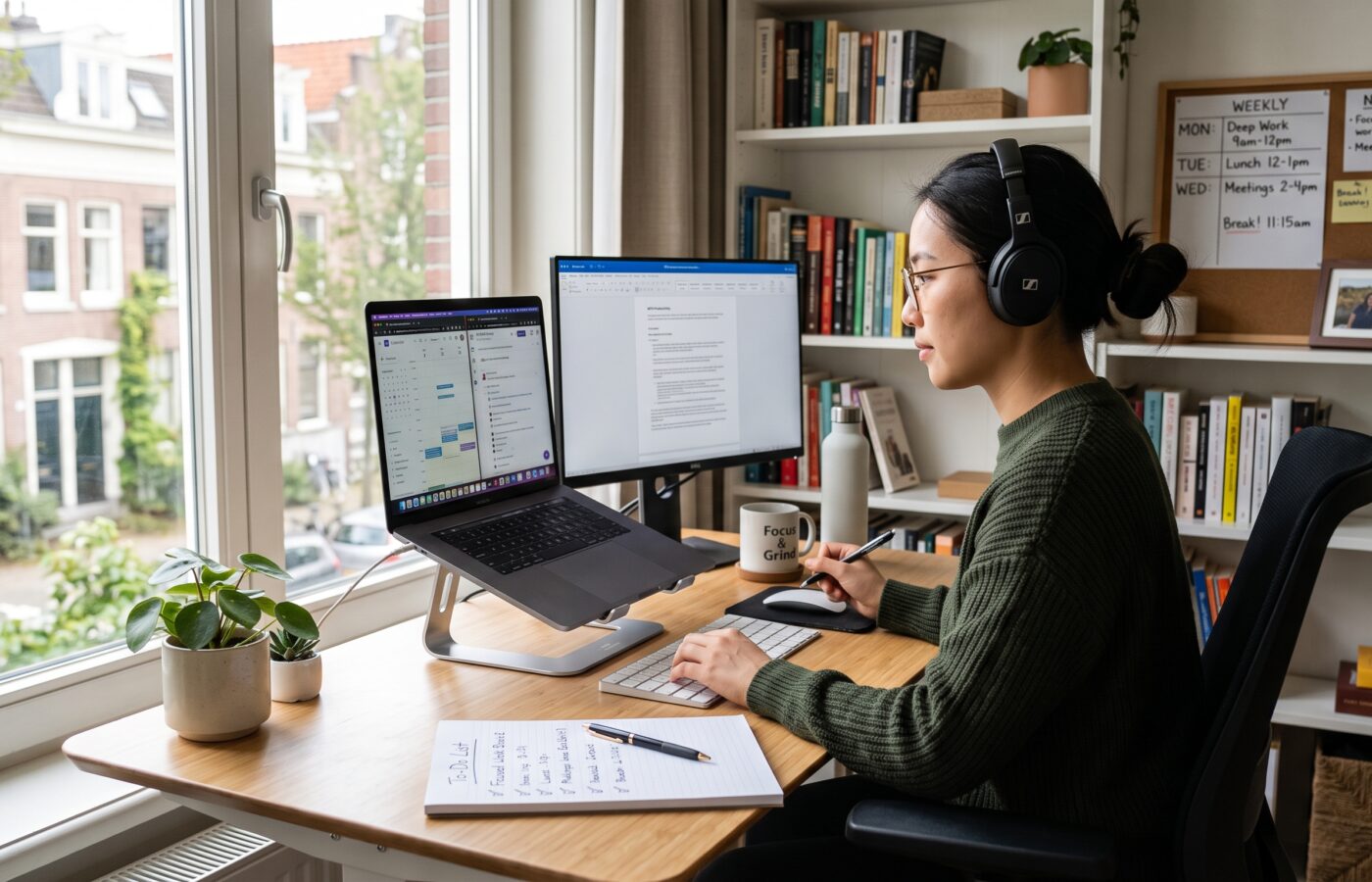
While you’re setting it up, pay attention to the physical basics. The Mayo Clinic’s guide to office ergonomics recommends keeping your monitor about an arm’s length away with the top of the screen at or slightly below eye level, keeping your wrists straight while typing, and making sure your feet rest flat on the floor. It sounds minor until you’ve spent a year with a laptop on a coffee table and your neck starts filing complaints. Physical discomfort drains focus in ways you don’t notice until it’s gone.
A few other upgrades that punch above their weight:
- Natural light. Position your desk near a window if you can. Facing it sideways reduces glare on your screen.
- A separate keyboard and mouse if you work on a laptop, plus a stand to raise the screen.
- Decent headphones for calls and for blocking out household noise.
- Reliable internet and cloud-based file storage, so your work is backed up and reachable from any device.
- A way to physically close the office. A laptop that goes into a drawer, a screen you turn off, a lamp you switch off. It’s a small ending ritual, and small endings add up.
None of these need to be expensive. If money is tight, plan them into your monthly budget one item at a time.
Plan Your Day Around Energy, Not Just Time
Most productivity advice treats every hour of the day as equal. It isn’t. Almost everyone has a window, usually two or three hours, when their thinking is sharpest. For many people it’s mid-morning. For some it’s late at night. Working from home gives you a rare opportunity to design your day around that window, and using it well is one of the simplest ways to stay productive.
Here’s how I walk clients through it. For one week, jot down a quick note every hour rating your focus on a scale of one to five. You’re not trying to be scientific, just honest. By Friday, a pattern shows up. Then you protect that window for your hardest, most valuable work, and you push the shallow stuff (email, admin, quick replies, expense reports) into the hours when your brain is running on fumes anyway. AI tools can take a first pass at some of that shallow work, as long as you review what they produce.
Pick Three Outcomes and Block the Time
The second part of this is deciding what the day is actually for before it starts. I ask clients to pick no more than three meaningful outcomes each day. Not a to-do list of twenty items, but three things that would make the day count. Everything else is a bonus. When people make this switch, they often tell me they finish fewer tasks but feel far more productive, because they finally moved the work that mattered. It is also one of the best ways to stop procrastinating on the big tasks.
Time blocking helps here too. Put your focus window on your calendar as an actual appointment. Label it clearly. If your calendar is visible to colleagues, this has the added benefit of telling them, politely, that you’re unavailable. People respect blocked time far more than they respect good intentions.
Protect Your Attention Like It’s the Asset It Is
If there’s one thing that’s changed about knowledge work in the past twenty years, it’s the state of our attention. Gloria Mark, a professor of informatics at the University of California, Irvine, has studied how people use screens at work for decades. Her research found that the average time people spend on a single screen before switching has dropped from about two and a half minutes in 2003 to roughly 47 seconds in recent years. She also found that after an interruption, it can take around 25 minutes to get back to the original task.
Think about what that means when you’re trying to stay productive working from home, where you’re dealing not only with notifications but also a doorbell, a dog, laundry, and the refrigerator twelve steps away. Every one of those switches carries a cost you don’t see in the moment.
Four Habits That Protect Your Focus
- Turn off almost all notifications. Not most. Almost all. Keep the ones from people who need to reach you urgently, and check everything else on your own schedule. Most messages that feel urgent can wait 45 minutes without anyone noticing.
- Batch your communication. Instead of living inside your email and chat tools, check them at set points. Many of my clients land on something like three or four times a day. At first it feels irresponsible. Within two weeks it feels like breathing room.
- Put your phone in another room during focus blocks. Not face down on the desk. In another room. Research and common experience agree that just having it within reach pulls at your attention.
- Keep a “later” list. When a random thought hits you during deep work (reply to Sarah, order printer ink, check that invoice), write it down and keep going. The act of capturing it frees your mind from holding onto it.
Mark makes another point I find useful: attention is a limited resource that needs refilling, not just a muscle you push harder. Which brings me to breaks.
Take Breaks Before You Need Them
At home, people tend to take either too many breaks or almost none. The second group worries me more. Without colleagues pulling them away for lunch or coffee, they sit at their desk for six hours straight and then wonder why they’re exhausted by 3 p.m.
Microsoft’s Human Factors Lab ran a small but striking study on this. Participants wore EEG caps while sitting through four half-hour video meetings, first back-to-back and then with short breaks between them. Without breaks, stress-related brain activity built up steadily and spiked at every transition between meetings. With a 10-minute break between calls, stress levels reset, and people showed signs of better focus and engagement.
The lesson is clear for anyone trying to stay productive working from home: breaks aren’t a reward for finishing work. They’re part of how good work gets done.
A rhythm many of my clients use is roughly 50 minutes of focused work followed by 10 minutes away from the screen. Some prefer the classic Pomodoro split of 25 and 5. Experiment and see what fits your work. What matters most is that the break is a real break. Scrolling social media doesn’t count, because your brain is still processing a screen full of input. Stand up, stretch, step outside, refill your water, look at something far away.
And eat lunch away from your desk. I say this to nearly every client, and nearly every client laughs, and the ones who actually do it report better afternoons almost immediately.
Rethink Your Relationship With Meetings
Remote work has a meeting problem. When you can’t catch someone in a hallway, everything becomes a scheduled call, and before long your calendar looks like a game of Tetris you’re losing.
If you have any control over your calendar, here’s what I recommend to stay productive while working from home:
- Default to shorter meetings. Set 25- or 50-minute defaults instead of 30 or 60. Those five or ten minutes are your recovery time.
- Ask whether it needs to be a meeting. Status updates, simple questions, and information sharing often work better as a written message or a short recorded video that people can watch on their own time.
- Keep one or two meeting-free blocks each week. Many teams I’ve worked with set aside a morning or a full day for focused work. Once it’s a team norm, it’s much easier to protect.
- Turn off your camera when it isn’t needed. Seeing your own face for hours is tiring. Cameras help in small, relationship-building conversations. They’re rarely necessary in a 20-person update.
If you’re a manager, you have more power here than you think. Your team takes its cues from your calendar. If you’re in meetings from 8 to 6, they’ll assume that’s what a good day looks like.
Communicate Your Output, Not Your Activity
One of the quiet stresses of working from home is the feeling that you need to look busy. People keep their chat status green all day, reply to messages within seconds, and send late-night emails to prove they’re committed. I call this “productivity theater,” and it’s exhausting.
It’s also counterproductive. Constant availability makes deep work almost impossible, and it doesn’t build the trust people hope it will.
If you want to stay productive working from home without burning out, make your results visible instead of your activity. A short written update at the end of each day or week (what you finished, what you’re working on next, where you’re stuck) does more for your reputation than a hundred quick replies. Managers don’t need to see you. They need to know what’s happening and trust that it’s moving.
If your manager has never said how quickly they expect replies, ask. You’ll often find their expectation is far more relaxed than the one you’ve been putting on yourself.
Don’t Let Loneliness Quietly Drain You
Back to that Ctrip finding: the people who went back to the office didn’t leave because they couldn’t get work done. They left because they were lonely. Buffer’s State of Remote Work report found the same thing in 2023. Among remote workers’ biggest struggles, loneliness came in at 23 percent, right behind “staying home too often because there’s no reason to leave” at 33 percent.
Isolation doesn’t usually feel like a crisis. It shows up as slightly less energy, a little less creativity, a vague flatness by Thursday afternoon. And it makes it harder to stay productive working from home, because motivation and connection are closely tied.
Some things that help:
- Schedule human contact on purpose. A weekly virtual coffee with a colleague, a standing call with a peer in another department, a lunch with a friend nearby.
- Work somewhere else once or twice a week. A coworking space, a library, a café. The change of scenery alone can reset a stale week.
- Keep some small talk in your meetings. The first few minutes of catching up aren’t wasted time. They’re how remote teams build the trust that makes everything else faster.
- Get outside every day. Even if it’s only a walk. It’s one of the easiest ways to break the “I haven’t left the house in three days” loop.
Learn to Shut the Door at Night
Buffer’s research also found that 22 percent of remote workers struggle to unplug. In my experience that number feels low. When your office is ten steps from your couch, “just one more email” becomes a nightly habit, and over months it wears people down.
Here’s the uncomfortable truth: without a clear end to the workday, you’re never fully resting, and people who never fully rest are never fully productive. Gloria Mark’s research points to the same idea, stressing that psychological detachment from work is what rebuilds your mental resources for the next day.
Build a Shutdown Ritual
Build a shutdown ritual that mirrors your morning one. Spend five minutes reviewing what you finished, write down tomorrow’s top three priorities, close every tab, and physically shut down or put away your laptop. Some clients say a phrase out loud (one uses “done for the day,” another just says “clocking out”). It feels silly for about a week. After that, it’s surprisingly effective.
Remove work apps from your phone if you can, or at least silence them after hours. If you manage people, avoid sending messages at night. Even if you say “no need to reply,” the message itself tells people the workday never truly ends. Use scheduled send instead.
Take Care of the Person Doing the Work
This is the part most guides on how to stay productive working from home skip, and it’s the part that matters most over time. You aren’t a machine, and working from home removes a lot of the incidental movement and structure your body relied on.
- Move every day. Office workers walk more than they realize, between meetings, to lunch, from the train. At home, you can go an entire day under 2,000 steps without noticing. A walk at lunch, a short workout before your false commute, or a standing desk for part of the day all help.
- Protect your sleep. Working from home tempts people to shift their schedules later and later. Consistent sleep does more for concentration than any app or technique in this article.
- Watch your snacking and caffeine. Not because anyone’s policing it, but because the kitchen is right there and energy crashes are real.
- Reduce money stress. Financial worry is a focus killer too. Knowing how much emergency fund you need, and slowly building it, takes one big worry off your plate.
And be kind to yourself on the bad days. Everyone has them. Some days the internet drops, the kids are home sick, and your focus is shot. Productivity is a long-term average, not a daily score.
Review and Adjust Every Few Weeks
The last habit I’ll leave you with is the one that makes all the others stick. Every few weeks, set aside 20 minutes and ask yourself a few honest questions, the same way a company revisits its business plan. What’s working? What’s draining me? Where did my time actually go? What’s one thing I’ll change for the next few weeks?
Remote work isn’t a fixed setup. Your role changes, your home changes, your team changes. The people who stay productive working from home over the years aren’t the ones who found the perfect system on day one. They’re the ones who keep adjusting it.
A Final Word
If you remember nothing else, remember this: the answer to how to stay productive working from home is structure you choose on purpose. The office gave you structure for free. Home asks you to build your own. Start your day with a ritual instead of your inbox. Give work a place and a stopping point. Protect your best hours for your best work. Take breaks before you’re exhausted. Stay connected to other people. And look after the person doing all of it.
None of these changes are dramatic on their own. Together, they add up to something most remote workers are quietly looking for: days that feel focused, evenings that feel like your own, and work you’re proud of.
Frequently Asked Questions
How do I stay productive working from home when I live with family or roommates?
Set clear signals about when you’re working, such as closed doors, headphones, or a shared schedule on the fridge. Agree on “quiet hours” for your focus window and calls. Noise-cancelling headphones help a great deal. The Cleveland Clinic’s advice on working from home productively covers setting boundaries with the people you live with.
Is working from home actually less productive than working in an office?
The research suggests not. Stanford’s 2024 study published in Nature found hybrid workers were just as productive and just as likely to be promoted as full-time office workers, while resignations fell by a third.
What’s the best daily schedule for working from home?
There’s no single best schedule, but the most effective ones share a consistent start time, a protected block of focused work during your highest-energy hours, regular breaks, and a clear end to the day. Asana’s guide on how to be productive at home has useful ideas for structuring your day.
How often should I take breaks when working remotely?
Many people do well with about 50 minutes of focused work followed by a 10-minute break. Microsoft’s brain research on breaks found short breaks between meetings reset stress levels and improved focus.
How do I stop getting distracted at home?
Turn off nonessential notifications, keep your phone in another room during focus blocks, check email and chat at set times, and write down stray thoughts so they don’t pull you away. Gloria Mark’s work on attention spans explains why reducing task switching matters so much.
How do I deal with loneliness when working from home?
Schedule regular contact with colleagues, work from a coworking space or café once or twice a week, and get outside daily. Buffer’s State of Remote Work report lists loneliness among remote workers’ most common struggles.
What equipment do I really need for a home office?
A supportive chair, a screen at eye level, a separate keyboard and mouse if you use a laptop, good lighting, and reliable headphones. The Mayo Clinic’s office ergonomics guide explains how to set these up properly.
How do I switch off from work at the end of the day?
Create a shutdown ritual: review what you finished, list tomorrow’s priorities, close your laptop, and leave your workspace. Remove or silence work apps on your phone after hours. HubSpot’s tips for working from home include more ideas for separating work and personal time.
References
- Bloom, N., Liang, J., Roberts, J., & Ying, Z. J. (2015). Does Working from Home Work? Evidence from a Chinese Experiment. The Quarterly Journal of Economics. Stanford Graduate School of Business.
- Bloom, N., Han, R., & Liang, J. (2024). Hybrid working from home improves retention without damaging performance. Nature.
- Stanford Report. (2024). Study finds hybrid work benefits companies and employees.
- Buffer. (2023). 2023 State of Remote Work.
- Microsoft WorkLab. Research Proves Your Brain Needs Breaks. Work Trend Index.
- University of California. Can’t pay attention? You’re not alone. Interview with Gloria Mark, UC Irvine.
- Mayo Clinic. Office ergonomics: Your how-to guide.
- Cleveland Clinic. How To Work From Home and Be Productive.
- Asana. How to Be Productive at Home: Tips for Remote Work.
- HubSpot. How to work from home: Simple strategies for staying productive.
- Indeed. Tips for Working From Home: How To Be Productive Outside the Office.